Stripe payment
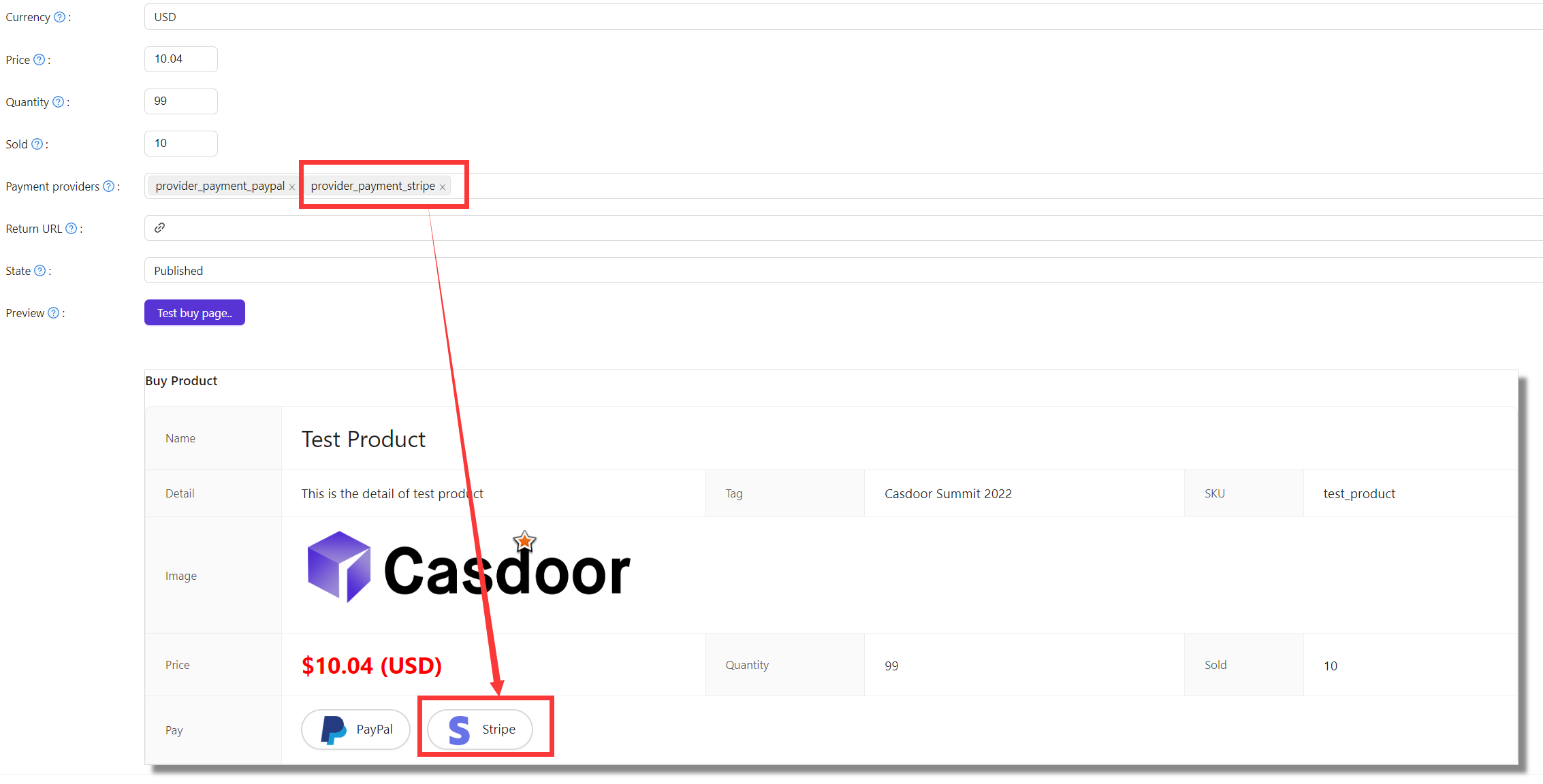
The legacy Stripe provider in Hanzo IAM. Square is the card processor for new charges.
Square is the card processor. Stripe is not offered for a new charge. This page is kept for organizations that already carry a Stripe provider — configuring one now points your product at a processor we do not put new volume through. Set up Square instead.
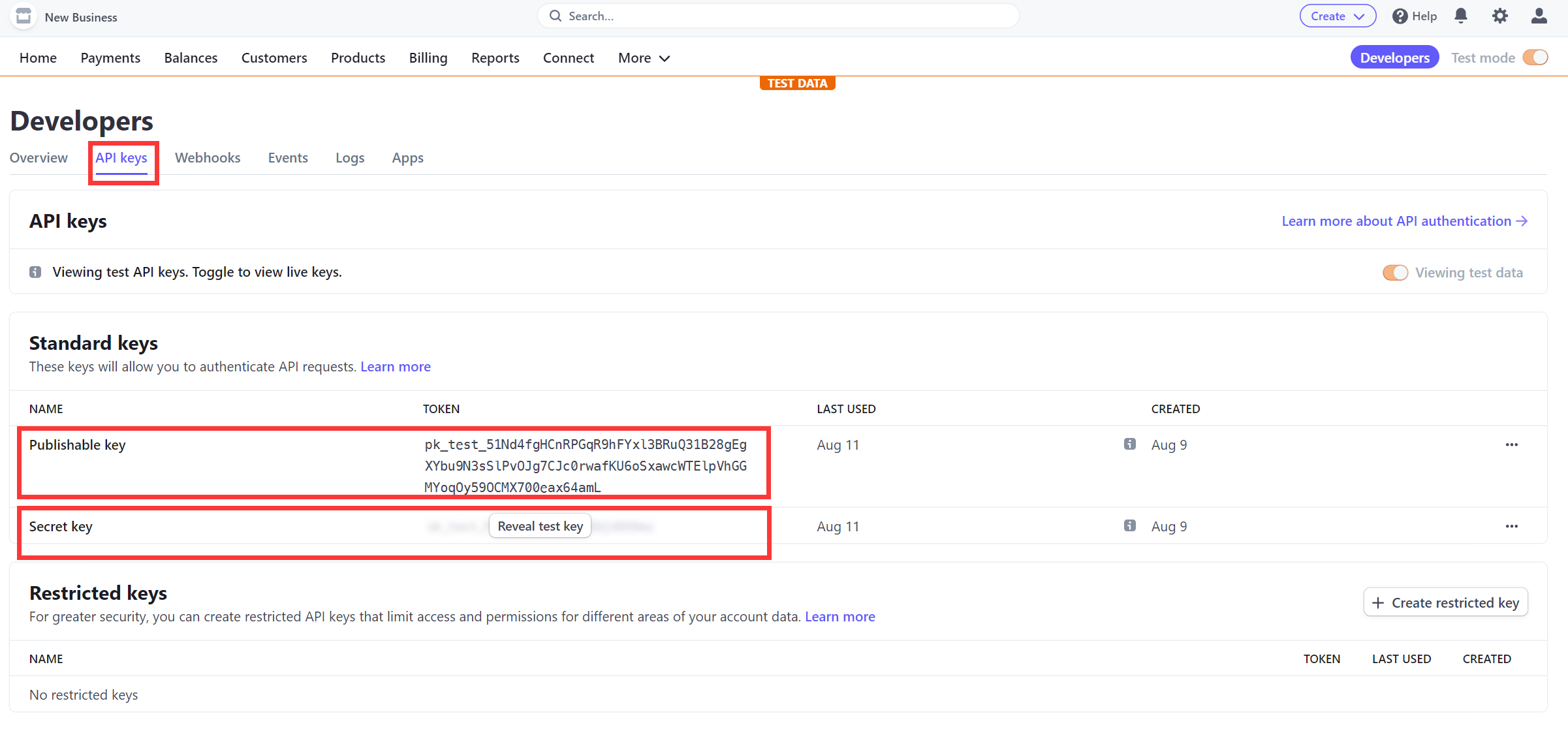
Get API keys
Create an account at Stripe and open the Developer Dashboard. Under API keys, copy the Publishable key and Secret key.
Create the provider in Hanzo IAM
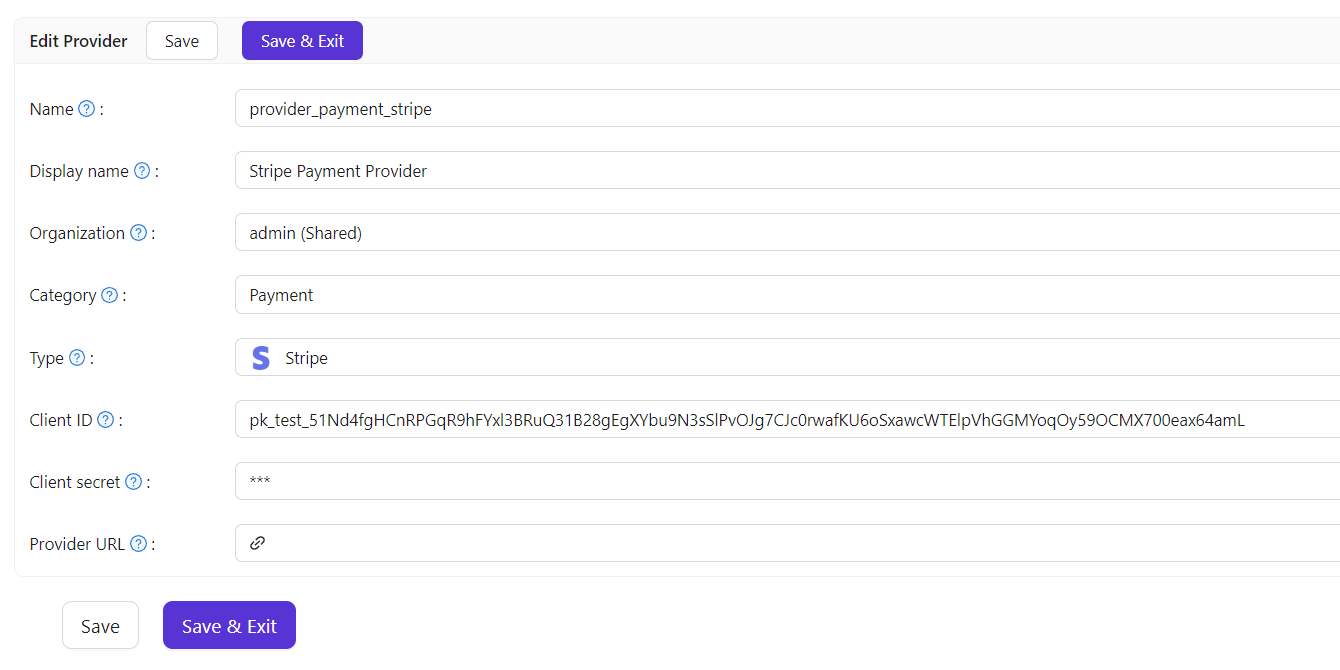
Add a Payment provider, set Type to Stripe, and fill in:
| Hanzo IAM field | Value |
|---|---|
| Client ID | Publishable key |
| Client secret | Secret key |
The secret key is a secret: it belongs in KMS, never in a repo, a manifest, or a plain environment file.
How is this guide?
Last updated on