Portainer
Using Hanzo IAM for authentication in Portainer
Portainer supports OAuth for sign-in. This guide configures Hanzo IAM as the identity provider. Ensure Portainer is installed and running.
The following are the configuration names:
IAM_HOST: The domain name or IP address where the Hanzo IAM server is deployed.
PORTAINER_HOST: The domain name or IP address where Portainer is deployed.
Step 1: Create an app for Portainer in Hanzo IAM
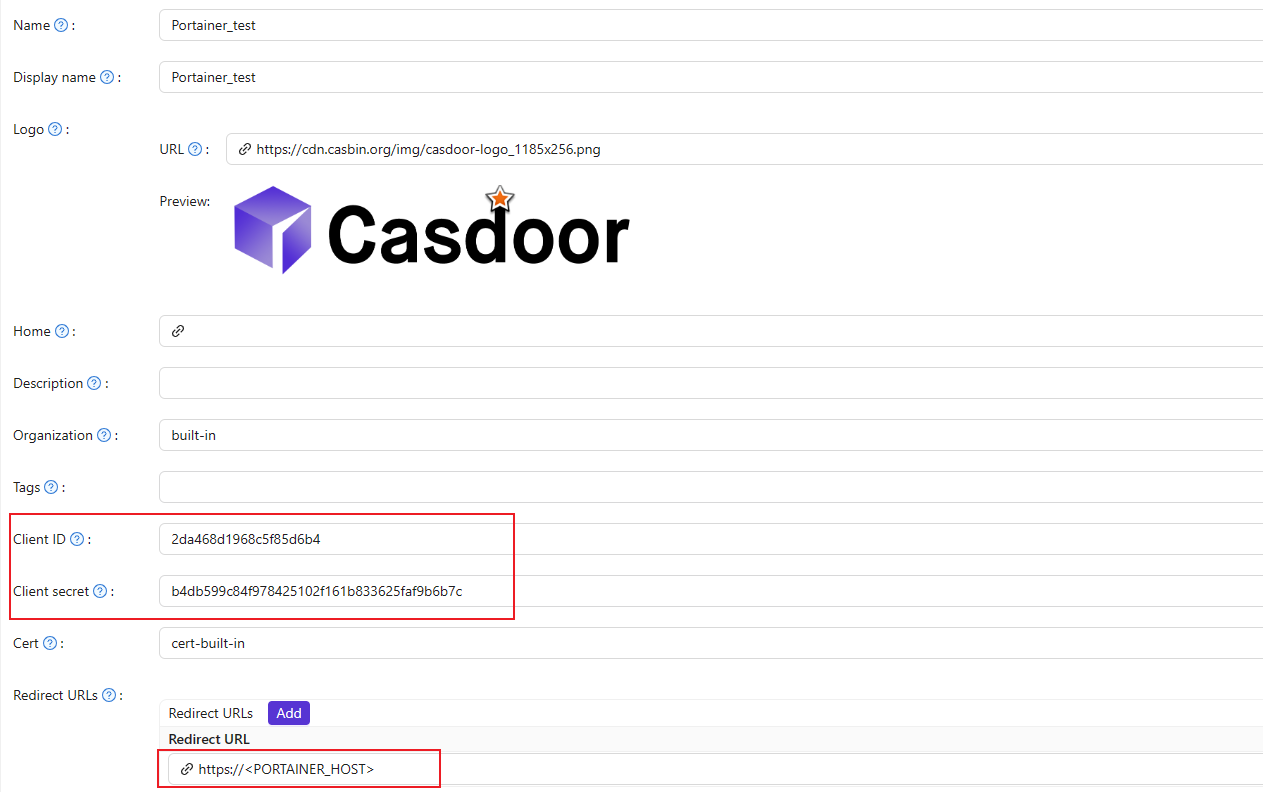
Here is an example of creating an app in Hanzo IAM:
-
Copy the client secret and client ID for the next step.
-
Add a Redirect URL. It's your Portainer host.
Step 2: Configure Portainer
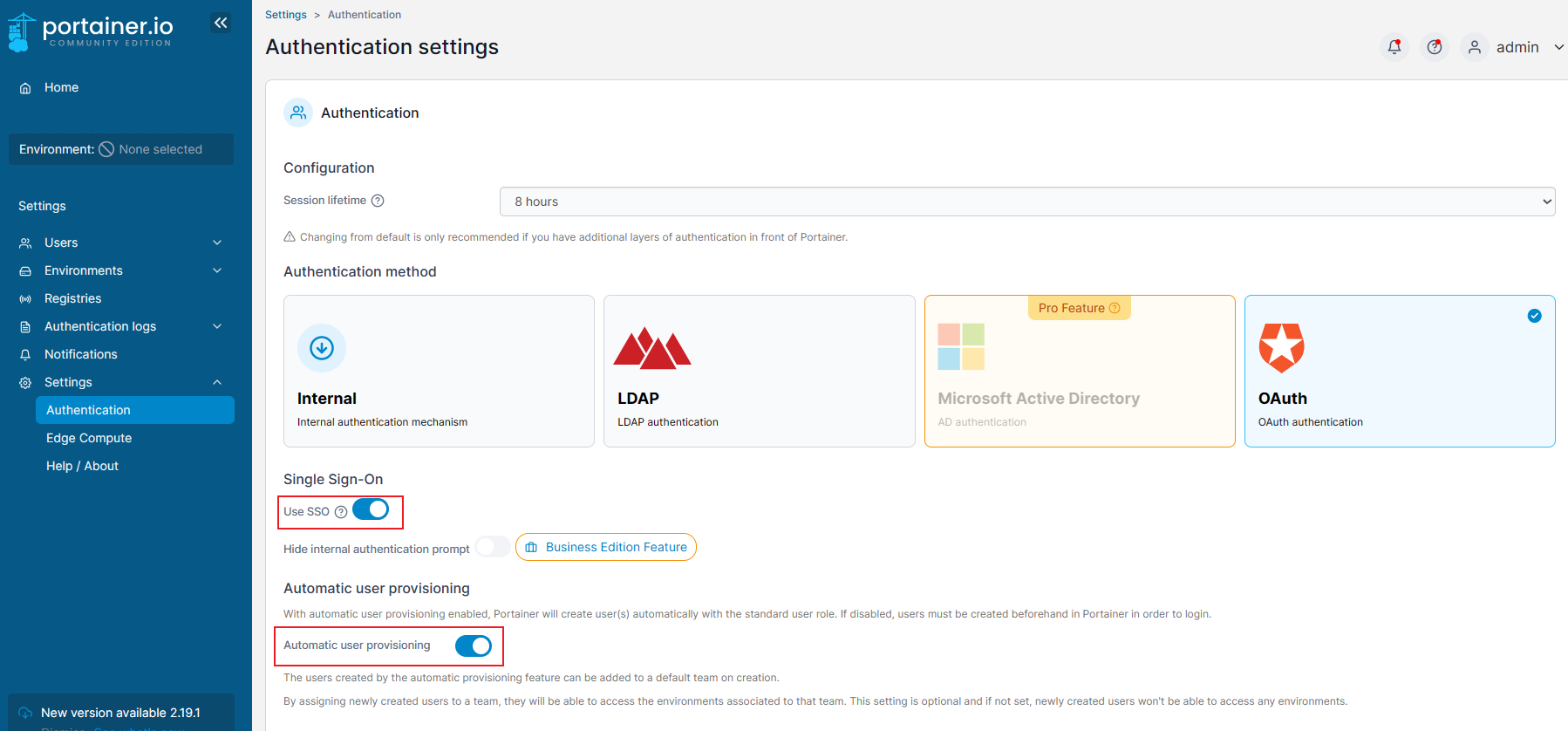
Expand the Settings from the left navigation bar, click on the Authentication option from this list.
-
Enable Use SSO and Automatic user provisioning:
-
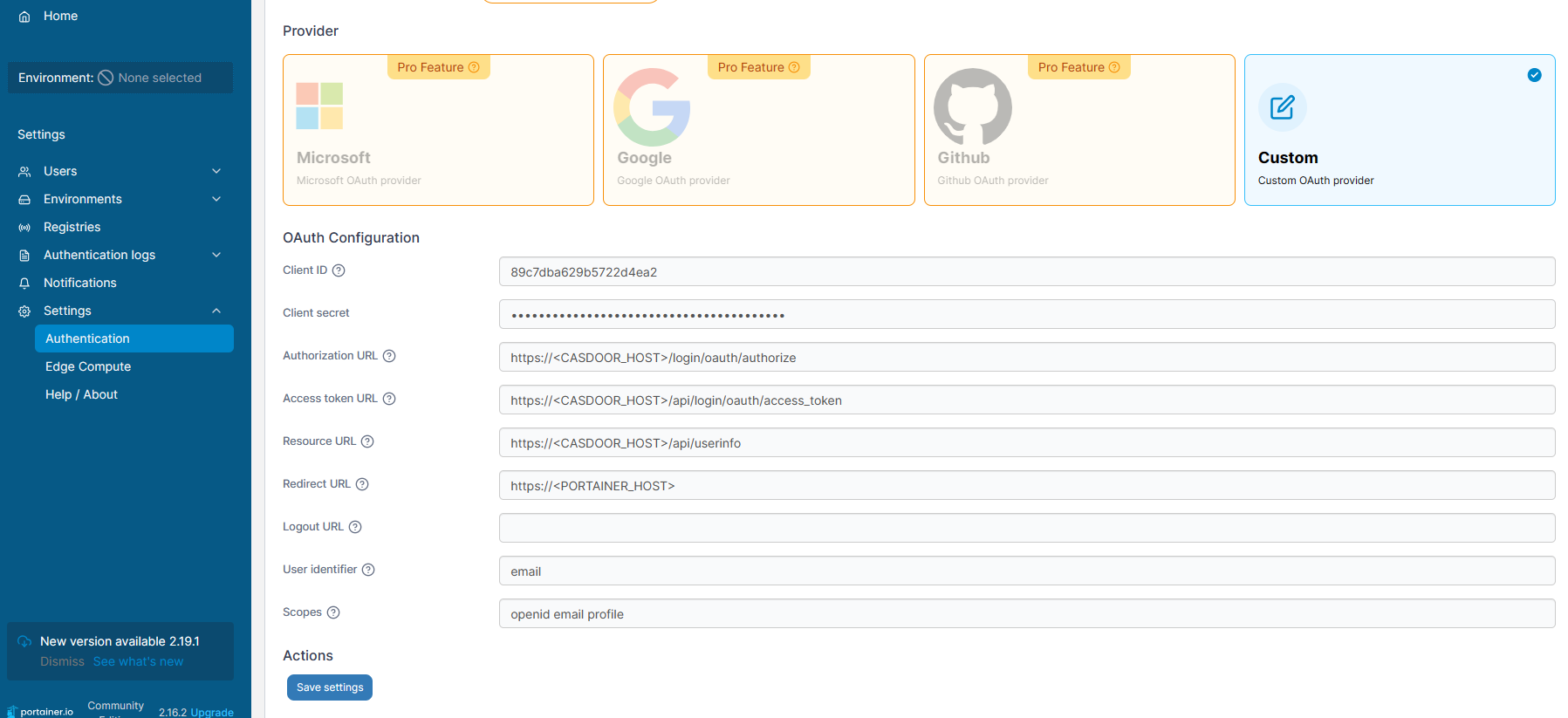
Fill in the necessary information as follows:
-
Authorization URL: https://IAM_HOST/oauth/authorize -
Access token URL: https://IAM_HOST/oauth/token -
Resource URL: https://IAM_HOST/oauth/userinfo -
Redirect URL: https://PORTAINER_HOST
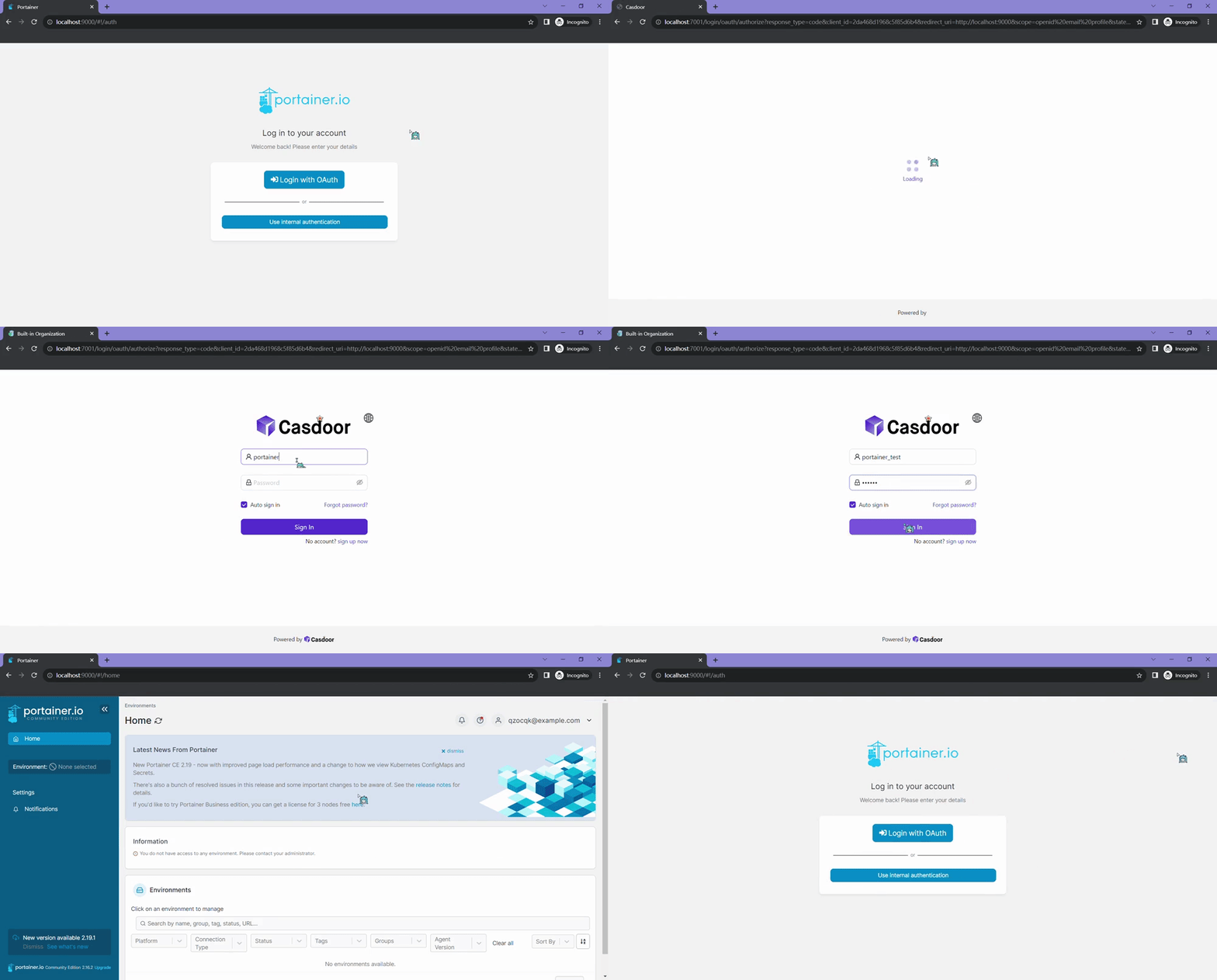
Log out of Portainer and test.
How is this guide?
Last updated on